
Comprehensive Guide to Edge-Native Security Features

Security enforcing measures differ a lot between centralized cloud environments and the more exposed distributed edge. Central solutions can trust perimeter security and operational processes covering a few central sites. For the distributed edge the situation is the opposite, edge hosts can be placed in open unprotected environments such as factory floors, retail stores, restaurants, hospitals, gas stations or vehicles. The large number of edge sites puts totally different requirements on automation. While you can have operational teams doing some parts manually in the cloud, this is not manageable for your possibly thousands of edge sites. The operational costs might mistakenly lead to reduced security which is of course not acceptable.
The Avassa platform addresses both manageability and security for the edge. The purpose of this article is to illustrate how we address these challenges.
Authentication, Access Control and Auditing
Before even getting started deploying applications, you must have users with the correct access. In case there is an incident, having audit trails is vital to do a port mortem analysis on what happened.
To control user (and application) access, create policies.
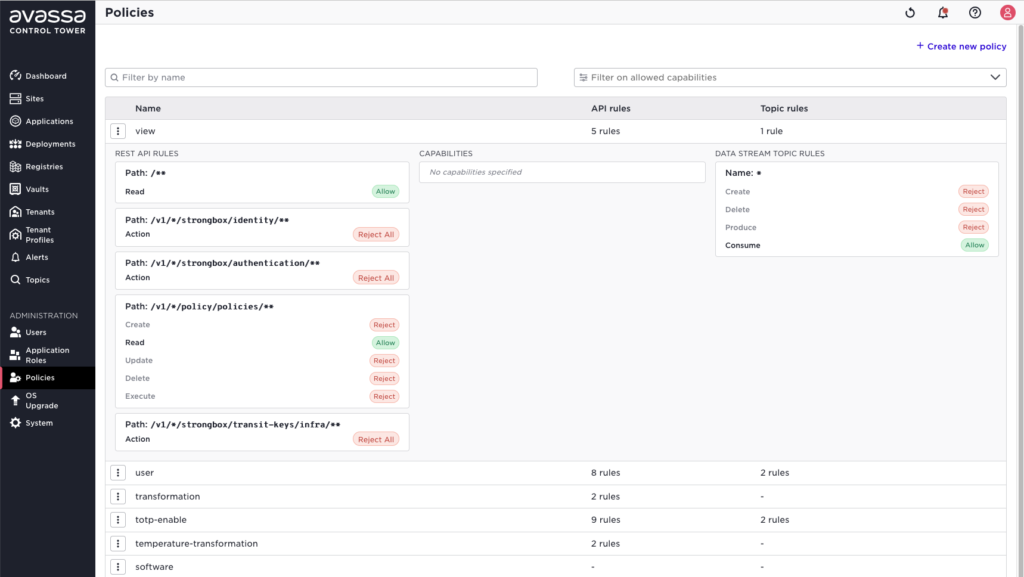
With policies in place, assign the right policies to the users

All API interactions are logged and forwarded to the Control Tower, the audit trail log can be shipped to some other destination or consumed in the Control Tower UI
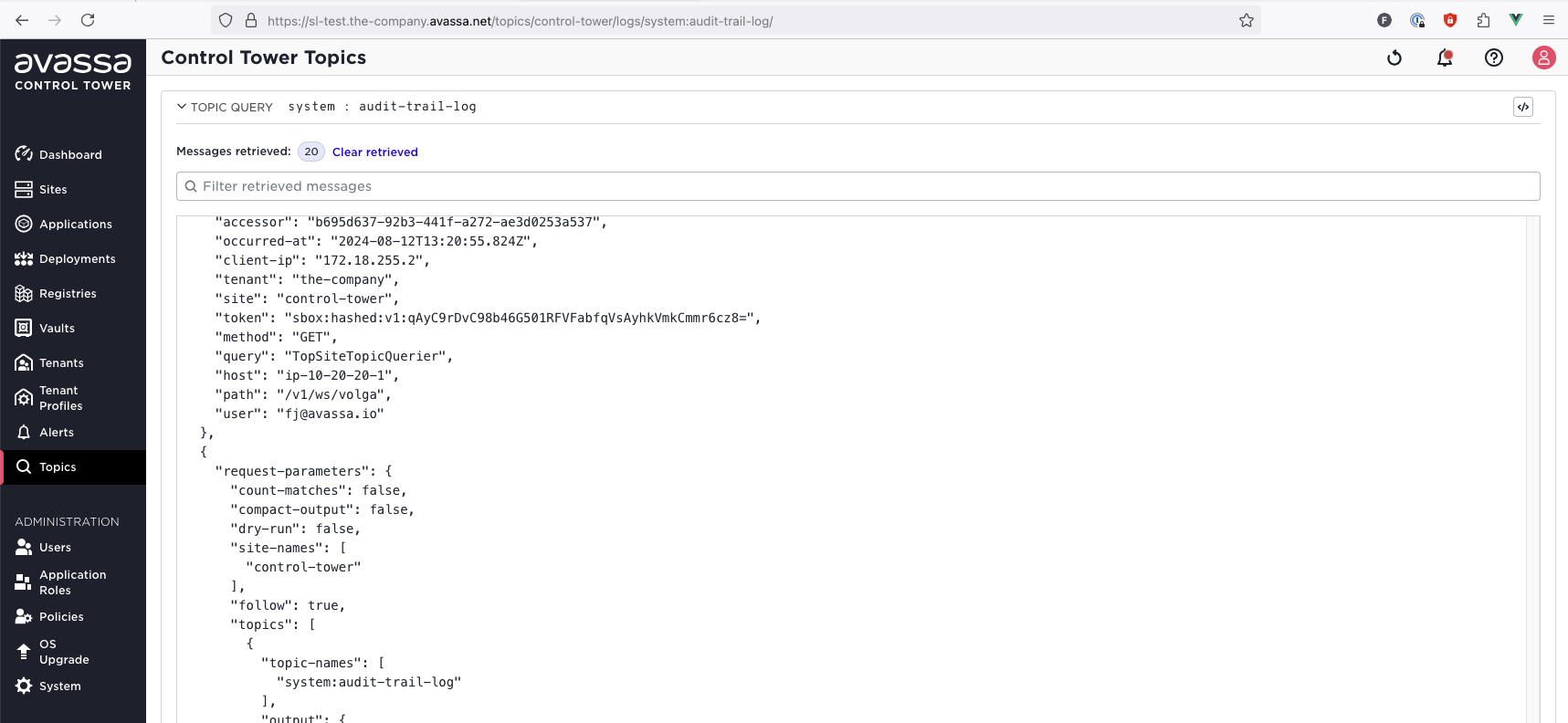
The audit log can be configured to be encrypted and signed so that it can not be tampered with.
Network security
At the edge it’s of course important that all traffic is encrypted. In an Avassa site cluster, all control traffic between the Edge enforcers and between Edge Enforcers and Control Tower is always encrypted and communication uses mutual TLS.
All application traffic is encrypted, using WireGuard, and segmented using VXLAN. This ensures that intra-application traffic is never unencrypted on the wire.
The Avassa system automatically configures a firewall around the applications which by default locks down as much as possible. A minimum set of ports and protocols are whitelisted.
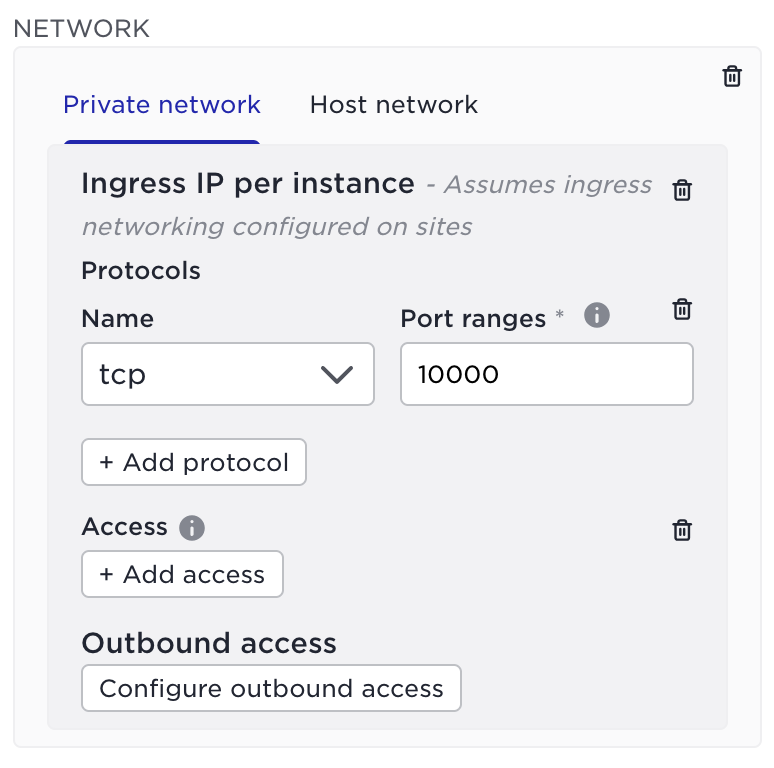
For example; a container application is not by default reachable on the site. Explicit ingress networks can be configured to allow access to an application, in the below example port 10000 is whitelisted.
It’s also possible to have the Avassa system generate server and client certificates for the applications that use ingress networking (or to setup mTLS between application components).
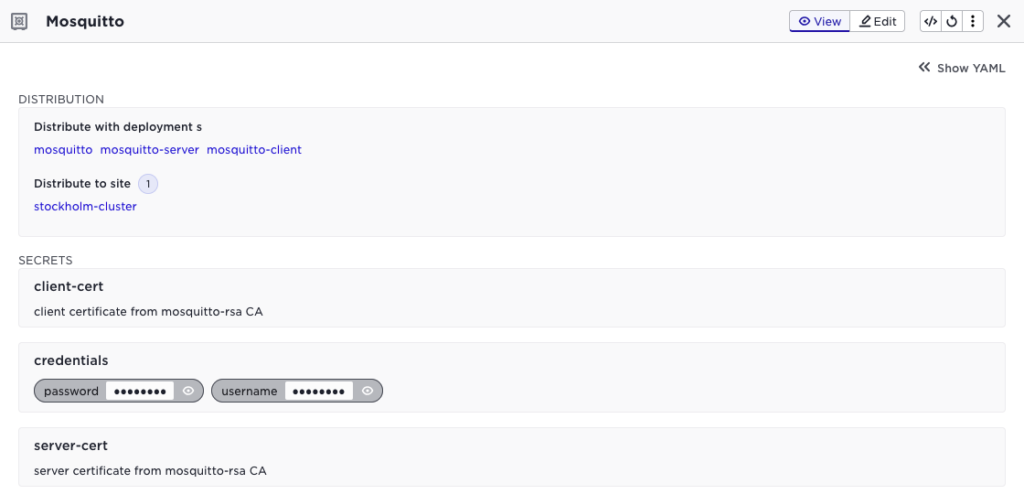
This will generate unique certificates for each application instance (each edge site), in the above example sharing a CA called mosquitto-rsa.
Edge Security
When it comes to security the edge is quite different from the cloud. It’s not uncommon to have edge hardware in locations where someone could literally snatch the machine and walk away. To address this the system comes with a number of security functions to address this.
Host authentication
Hosts calling home are identified using a host id, the host ID serves both as a unique identifier but also a shared secret between the host and the Control Tower. On top of host IDs, the Control Tower can be configured to require hosts to present client certificates.
Once a host has called home and received its “site bundle”, i.e. secret keying material from the Control Tower, the site bundle is locked in the Control Tower and cannot be fetched again without manual/API steps.
Encrypted data at rest
All secret material is encrypted at rest, this is important since an attacker will have access to the disks of any stolen compute.
Site unique encryption keys
The data is encrypted using site unique keys, this will not give the attacker any data that can be used for a lateral attack on other machines.
Block sites
After a power off, the Edge Enforcer needs to connect to Control Tower to get decryption keys for the encrypted data at rest. Sites can therefore be blocked in the Control Tower, this way the site machine will not get back the necessary keys from Control Tower.
When a site is blocked, the system also rotates the tenant specific keys that are used to encrypt messages between the Control Tower and the sites. Even if an attacker could extract the “on-wire” keys used, those keys are invalidated.
Data Security for Applications
Distributing secret material to applications
Many applications require secret material to function, be that credentials for some resource or certificates for publishing an API.
In the Avassa Edge Platform, vaults are used to distribute application secrets to the sites. A vault is a collections of secrets, e.g. credentials and certificates.
This is an example of a vault named “hivemq-edge”
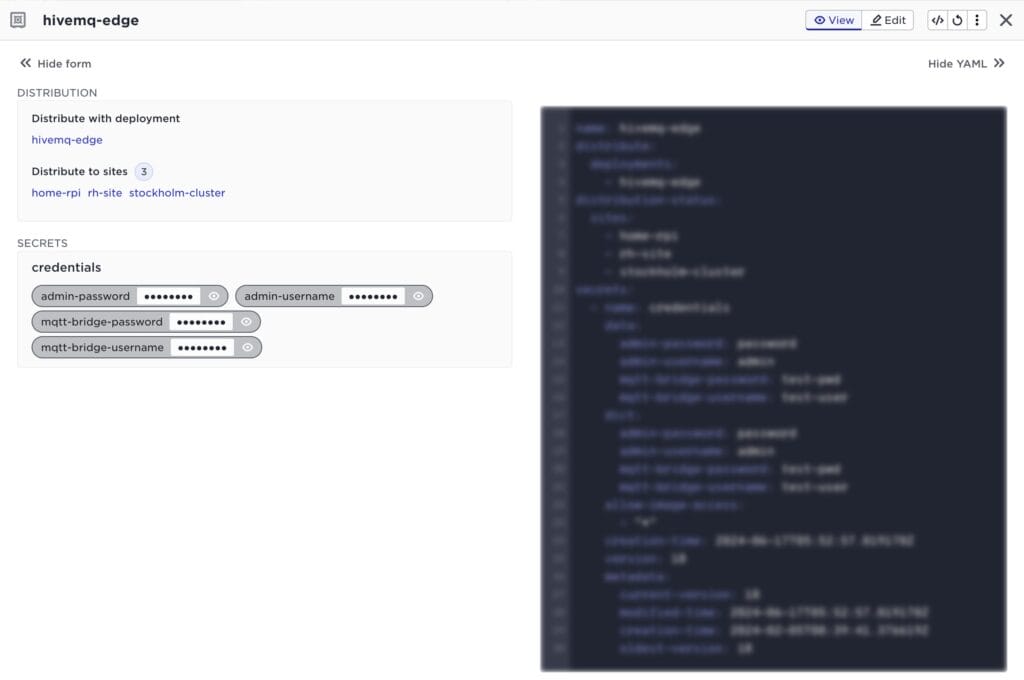
Very rarely are the same applications running on all sites all the time, the system must therefore make sure the correct secrets are distributed together with the applications. If an application is NOT deployed to a site, the applications secrets must not be distributed to that site. The recommendation is to configure the Distribute with deployment setting in the vaults, this ensures correct distribution of secrets together with the application. In the above example this results in the secret being distributes to home-rpi, rh-site and stockholm-cluster (Distribute to sites, note the tense, if the site is currently disconnected it will be distributed there when connected).
Encrypting data
Some applications have the need to encrypt data, this could be data that will be serialized to disk or data that will go on the wire. The Avassa system therefore provides encryption and decryption functions that applications can use. The Avassa system can also rotate the keys used with a configurable amount of history. The history of keys are used when a application needs to decrypt data encrypted with an older key, this could for example happen when a site has been offline for some period of time.
See https://avassa-api.redoc.ly/tag/Transit-Keys for documention on this API.